Google Antigravity and Cursor are AI-powered IDEs designed for agentic coding workflows. Antigravity emphasizes autonomous agents managed centrally, while Cursor offers developer-controlled multi-agent parallelism in a VS Code fork.
Today’s comparison is going to just be the first test among various other tests that we might be able to perform. This one’s going to be a very basic test, just the one-shot prompt.
Given we are within an agentic development workflow revolution, and we’re kind of moving deeper in this direction, I’ve been using Cursor heavily at work for a little over six months now.
I have some optimizations, MCPs, and just general rules that I use. However, given this website was just sitting in the corner, ignored, there’s been no special setup that’s been done for this particular repository.
As far as I’m concerned, this will be a test that features:
- Opening up the blog repository across both Anti-Gravity and Cursor.
- Writing a single prompt that will add multiple sections to my website. So previously it was just a blog but we will be adding the reviews and travel sections that you should see by the time this blog post is up.
- Going through the same process for both IDEs, and here we’ll be careful to use the exact same configurations, AKA the same models and the same prompt.
- Compare the outputs.
NOTE: Anti-Gravity is currently available for public preview which gives us access to most models (with rate limits), so I didn’t have to pay for that, whereas I am paying for Cursor’s $20 pro plan to access the better models.
The model I chose for both the comparisons is Claude’s Opus 4.5. And as for configurations, nothing was configured on Anti-Gravity nor on Cursor. Both are completely new sessions/chats, and we treat this as the starting point for both IDEs.
With that said, let’s begin the review.
UI
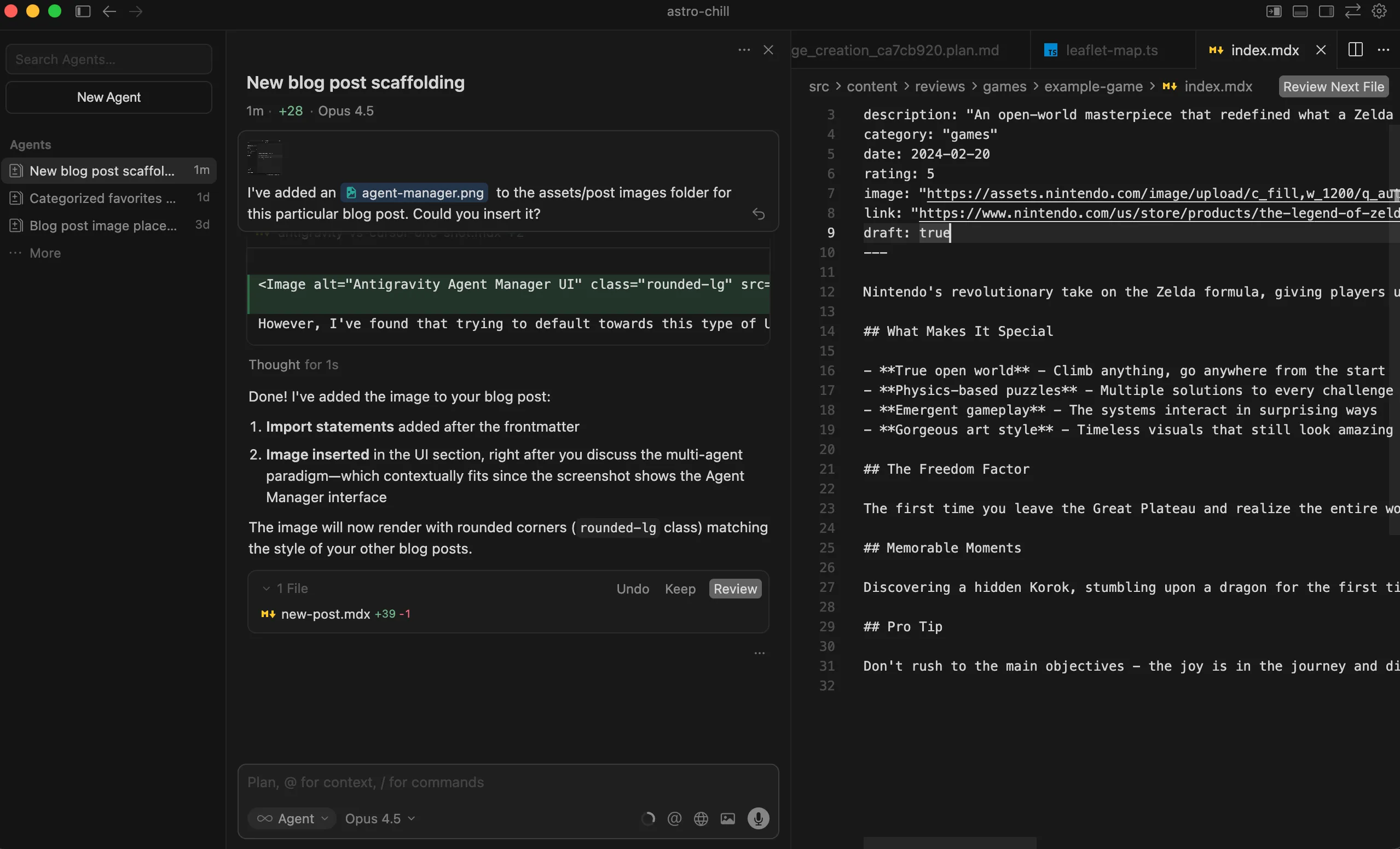
Both of these IDEs are forks of VS Code, but for some reason, and maybe this is just recency bias since I’ve spent more time on Cursor, I found that the UI and general experience for overall responsiveness, polishness, “feel” when clicking around, and keeping track of things, Cursor takes the cake.
That said, of course, with Antigravity, Google is trying to redefine how we go about doing modern development. There is an expected learning curve for this UI which wants you to think in terms of the JS event-loop, except using agents. The push is towards a multi-agent paradigm with background agents doing menial things, while you continue doing core work with your primary agent.
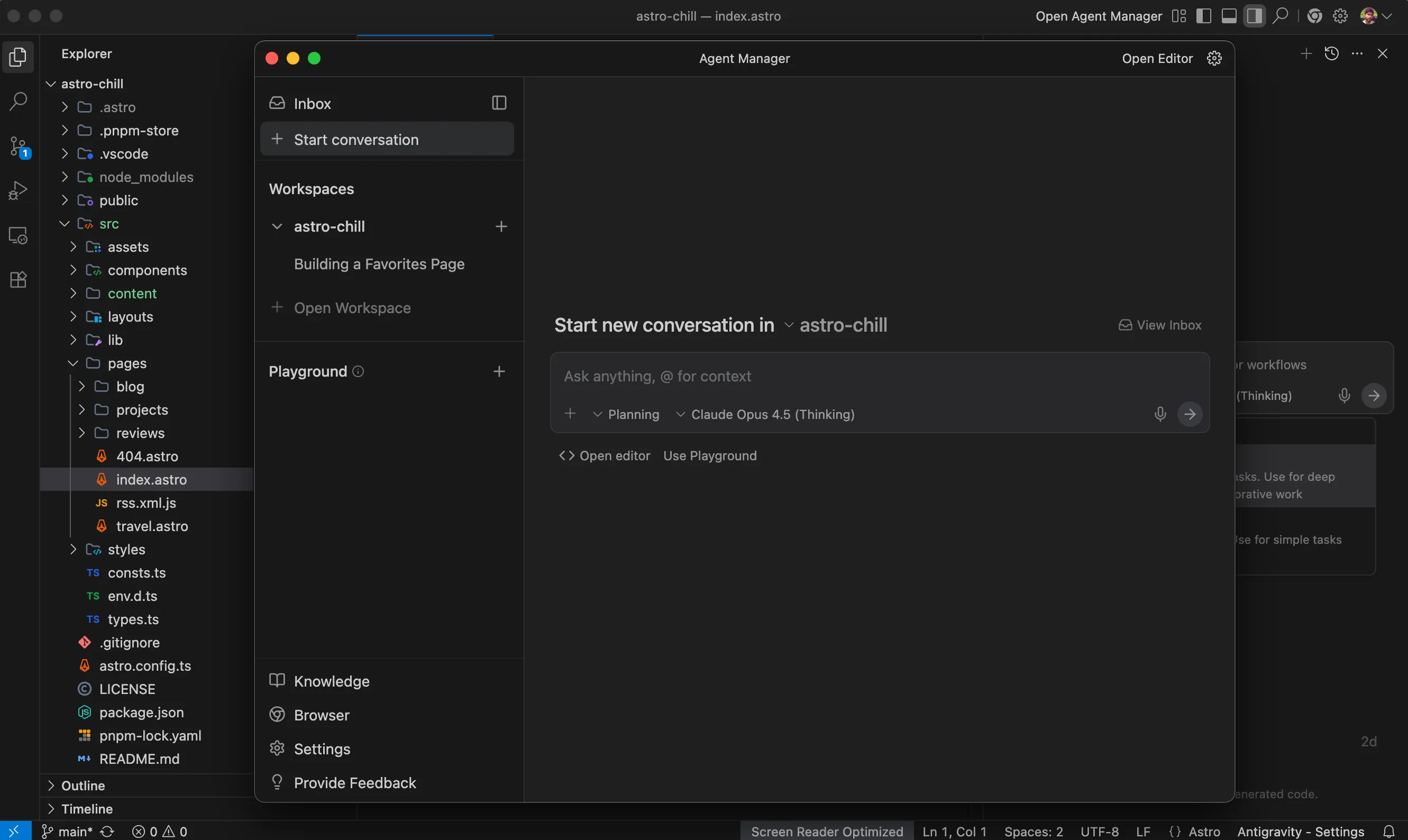
However, right now, this UI seems to be in a separate window, instead of just being seamlessly transitionable. This is a pretty small nit, but one that definitely had me fumbling a little back-and-forth as I was trying to change configurations or just figure my way out through the IDE.
It was a little less seamless than just pressing Command-E to transition between the agent view and the editor view within the same window, which is what Cursor does.
Planning
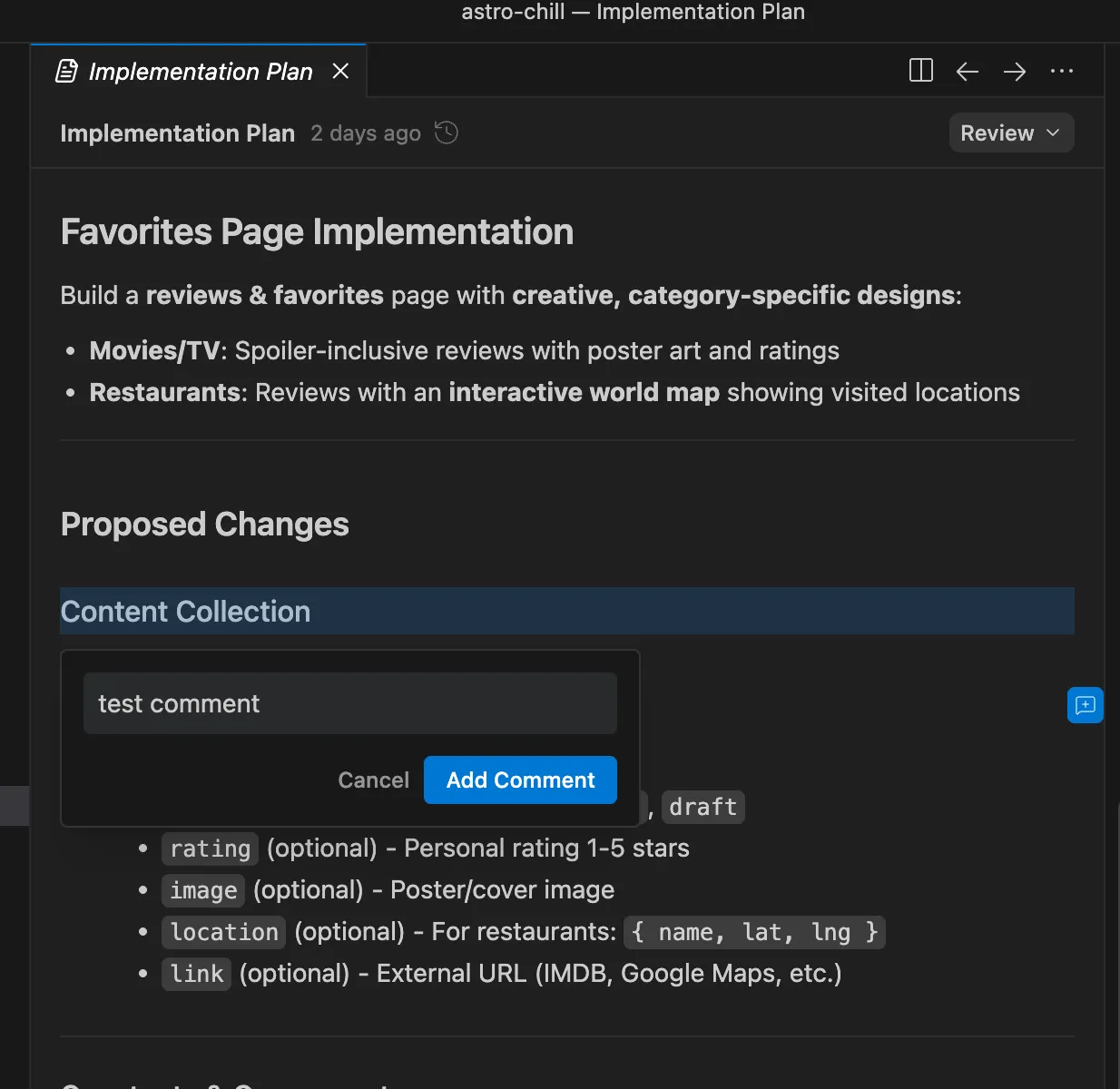
This is where I really liked the interface from antigravity and found that it was something different that’s not being done in Cursor at the very least.
Once I fired up the prompt, I was provided with a plan where I can then review it, almost like a code review, and add comments and feedback to the different areas of this plan.
However, the Cursor team’s been pushing updates non-stop. I feel like they’re really hardworking and they ship a bunch of stuff all the time.
When I ran the same prompt on Cursor, I was actually asked some really interesting clarifying questions. Again, this was something that’s different from Antigravity, but I do appreciate this take as well.
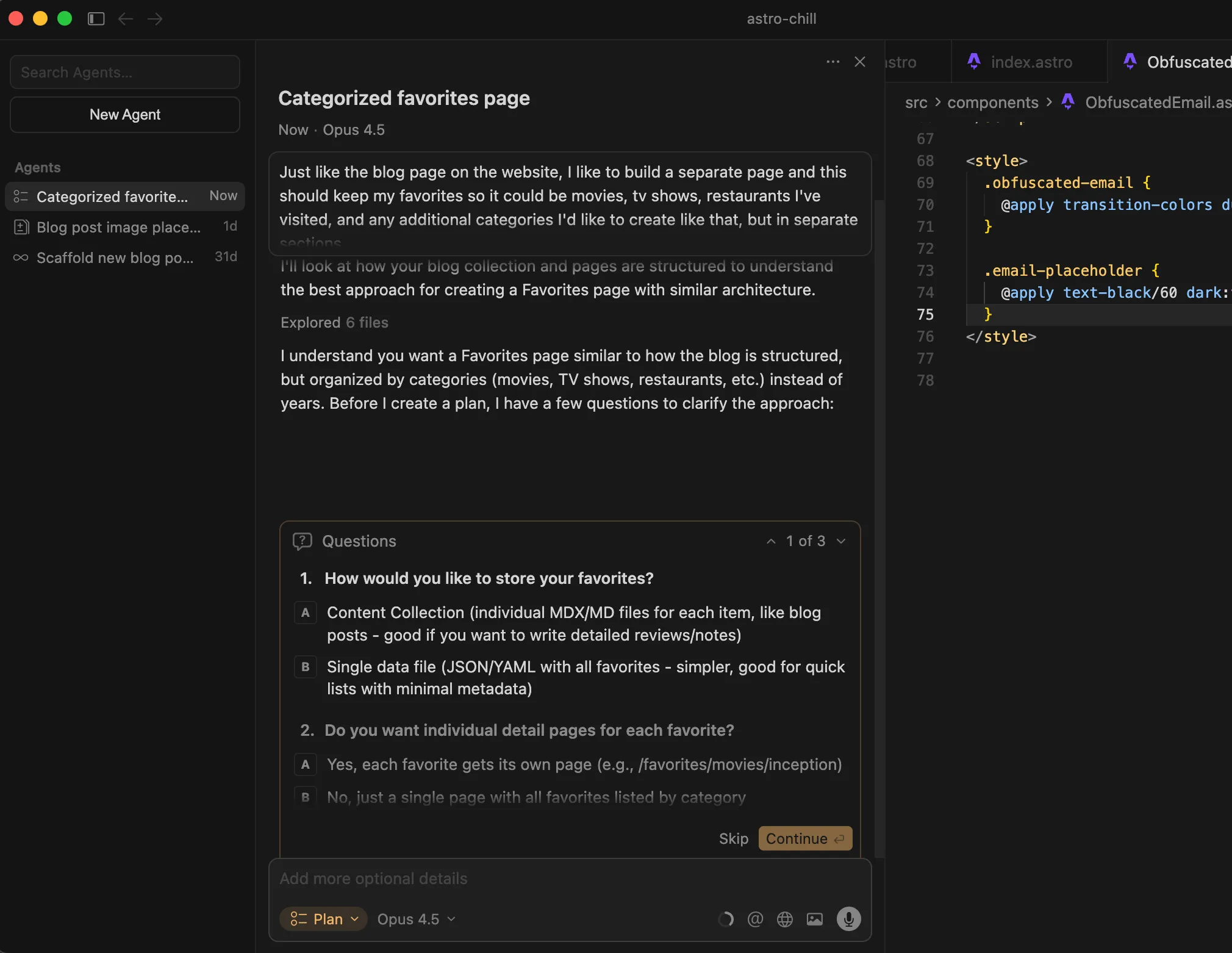
Where I found that Antigravity was giving the user more say in what they wanted vs. what they didn’t, Cursor was utilizing the LLMs “intelligence”/gained context during planning phase, to come up with smart clarifying questions, ultimately reducing the mental work that the actual user needs to do.
Fundamentally, these are two different ways of planning and it may be subjective so I won’t crown a winner here, since, depending on the task and the complexity, these clarifying questions may or may not present themselves, and a human in the loop would be required (at least for the time being).
Task Execution
Arguably, this is going to be the money maker/main differentiator between the two IDEs.
Understandably they’re both using the same model. But there are propriatary prompts and logic under the hood for the tools both of these IDEs use, that obviously changes the way the output comes out. And that is what we are essentially testing.
Here I believe antigravity has some catching up to do.
Having used the Playwright MCP within Cursor to give the agents access to a different modality, I was pretty excited to see the browser get fired up by default within Antigravity as it started executing on the tasks it planned out.
However, on this browser view, I immediately noticed that my website was being rendered in light mode, and not respecting the CSS auto-detect feature for rendering light or dark mode based on the system preference.
A small nit, and I’m not exactly sure why that was the case, but found it a bit strange.
But the bigger problem was that it had gone through all of the implementation of the tasks and had actually left out a buggy view, which can be clicked into but was not something you could click out of since it was overlaid on top of the main website.
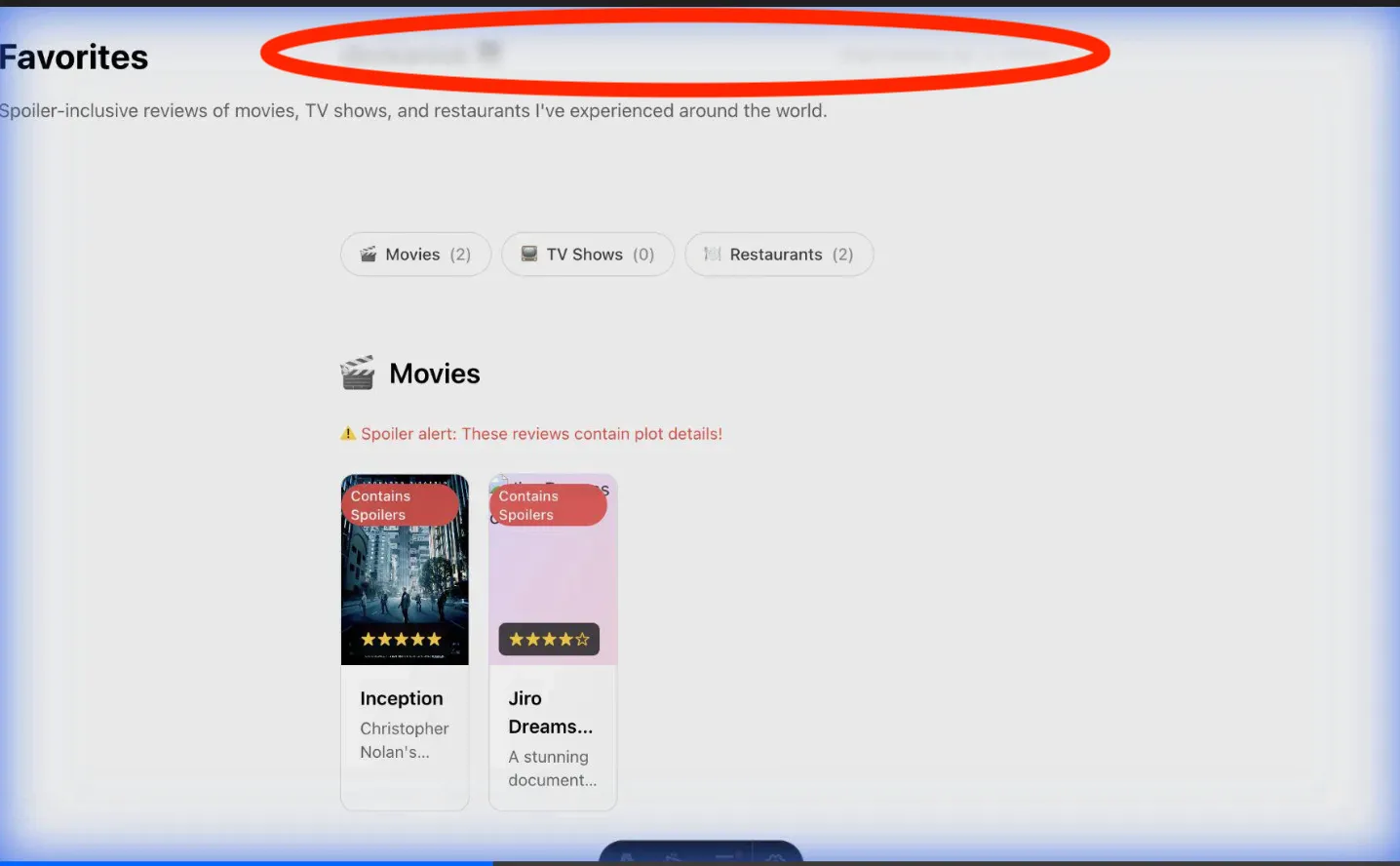
Since the review section would have different categories (like movies, TV shows, books, etc.), I gave the model creative agency to come up with whatever stylistic choices it deems worthy for those sections.
Ultimately, I was not a huge fan of the stylistic choices that were made, and the very first solution that was presented was buggy even though we had the agent access the visual UI via the browser being spun up and simulate user behaviour.
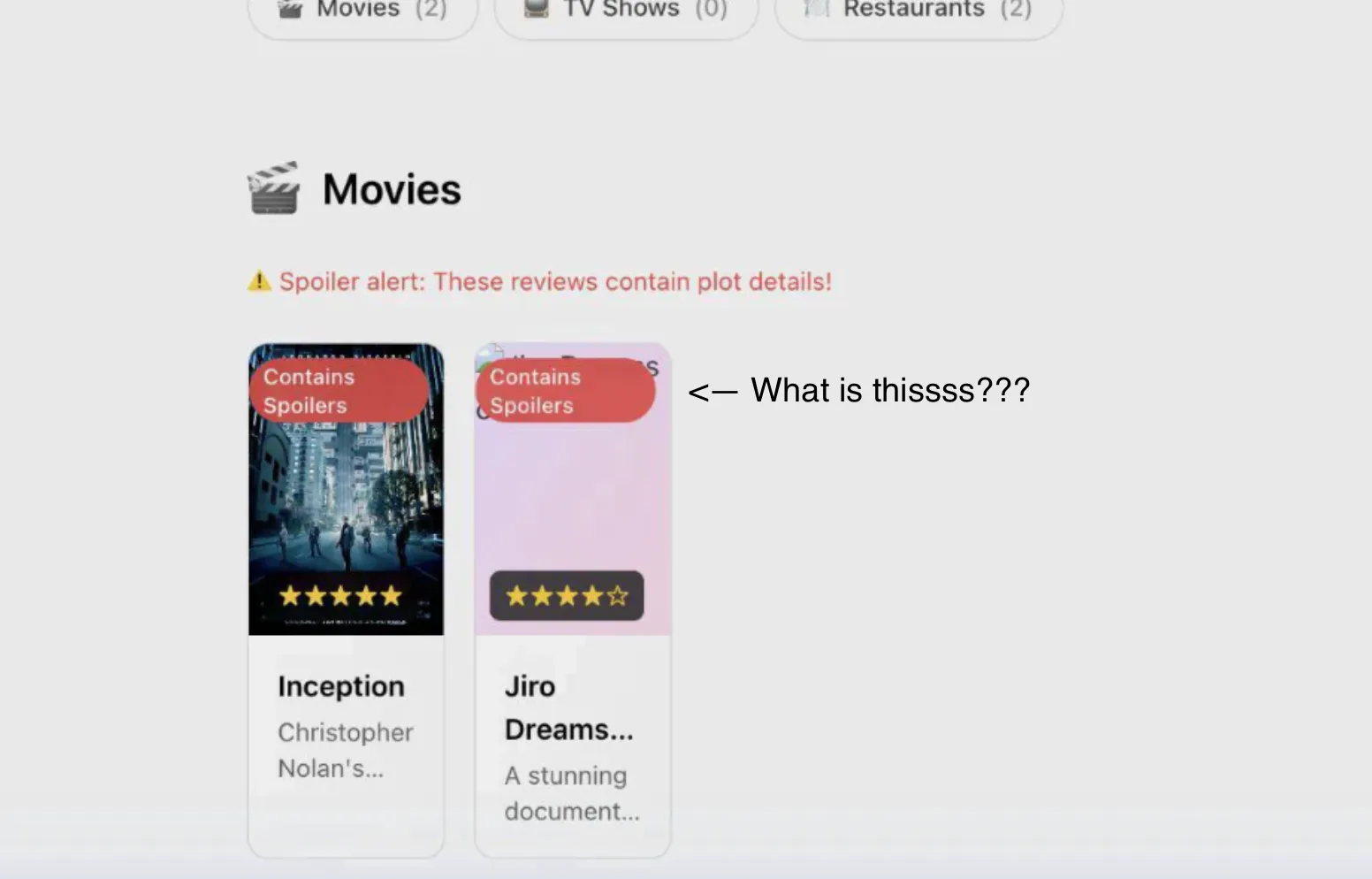
The variance of the resulting output is fascinating, given the plan, implementation, prompts, and the custom logic that these IDEs have baked under the hood.
The browser thing also felt a little gimmicky.
It is supposed to increase the confidence score of what’s being delivered, but I just found that it added so much extra wasted time and context/token usage for said “verification”.
On top of that, it took me at least 3-4 more prompts to guide the IDE to debug issues, and spit out something that I felt was usable.
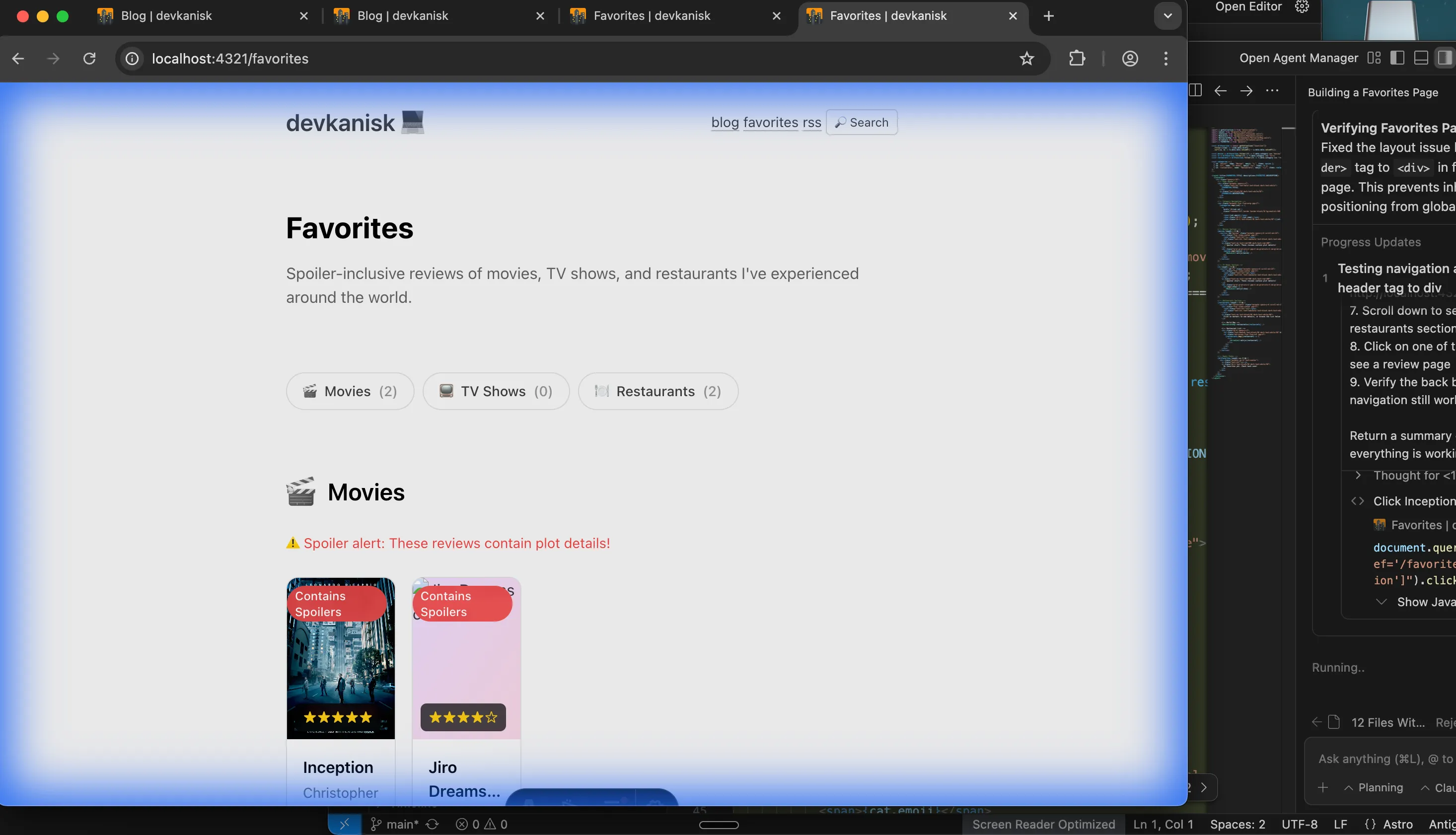
You can see the output within this branch for the repository.
Now, Cursor was quite different in this regard and way less hand-holdy on my end which is always preferred.
And again, I have no clue why there were so many differences between the same models, but just two different IDEs using them.
After the initial plan and the clarifying questions, Cursor went straight to work. There were no browsers that were spun up, not extra context spent with extra tool calls, and the whole process was done in about 3 minutes, spitting something out that was flawless.
It maintained the style and aesthetic and design choices of the existing website.
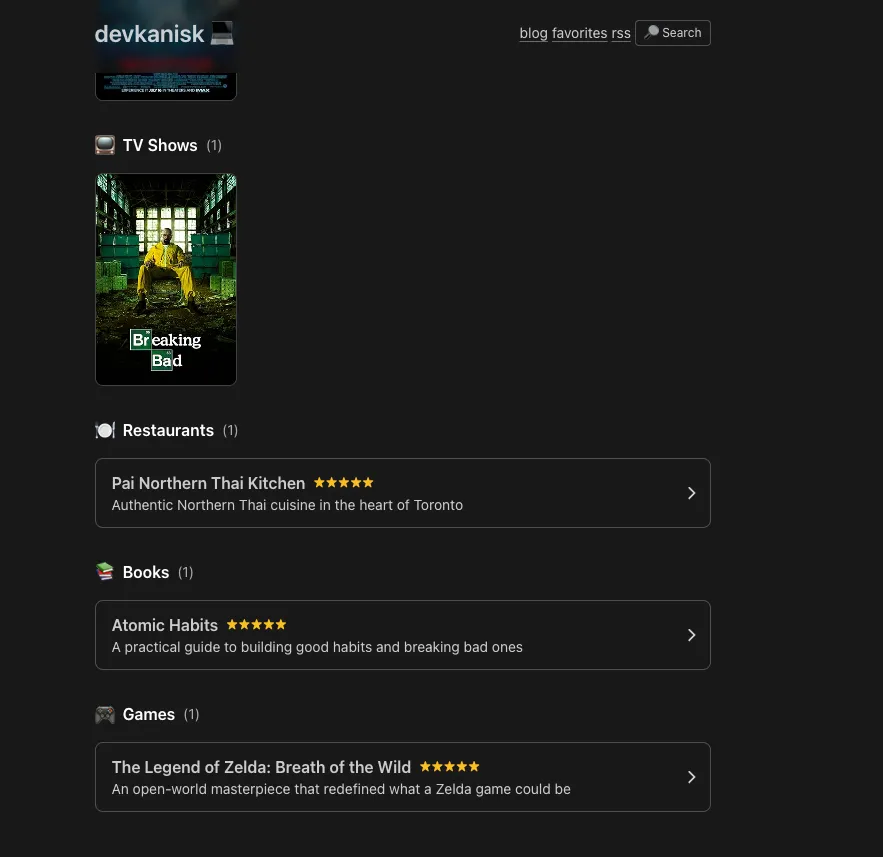
It created net new components only where it was required, such as clicking into each of the specific reviews.
And overall, my confidence score was just way higher with the output that came out from Cursor than the one from Anti-Gravity.
What occurred within Cursor was more true to a one-shot solution than I would say the iterative process that was required for Google’s antigravity.
NOTE: I ofcourse, iterated further on the Cursor output (after the one-shot test) to rename/update the sections to “reviews” instead, and added the travel section.
Overall Verdict
For this one-shot test, Cursor takes the win.
While Antigravity brings some genuinely interesting ideas to the table—particularly its plan review interface that feels like a code review for AI tasks — the execution fell short.
The browser-based verification added more overhead than value, and the final output required multiple rounds of debugging to get something usable. Once again, note that I didn’t tweak or change any settings for both of the IDEs. This was the default workflow that was presented to me by both of the IDEs.
It’s possible that without the browser in the loop for Antigravity, we might have had very similar outputs, but that wasn’t the default out-of-box experience for me.
Cursor, on the other hand, delivered a clean, one-shot solution that respected the existing codebase’s patterns and aesthetic. It asked the right questions upfront and then got out of the way.
That said, this is just one test, and Antigravity is still in public preview. Google has the resources and talent to iterate quickly. But as of today, if you’re looking for an IDE that just works for agentic workflows, Cursor is the clear choice.
Who knows? You probably should be throwing in Claude code on the terminal together with Cursor… but that’s for another time.
I’ll be running more tests in the future—particularly around multi-agent workflows and longer, more complex tasks where Antigravity’s architecture might shine. Stay tuned!